Anatomy
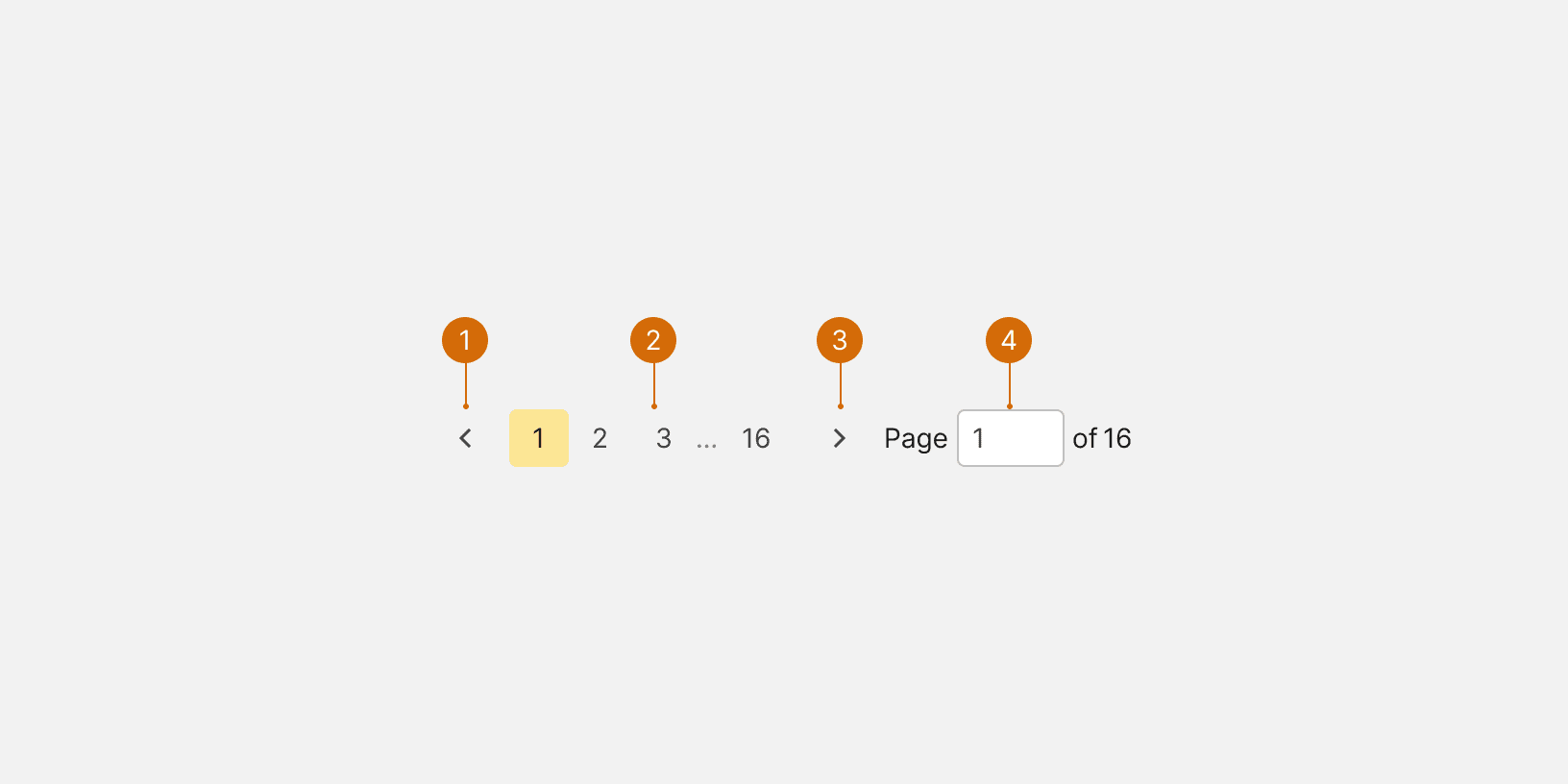
Icon Button
Page Buttons
Icon Button
Page Input
States
Best Practices
When to Use
Pagination should be used when there is a large amount of content that can't be shown in one view and needs to be broken down into multiple pages. Avoid showing the pagination when there is likely only one page of content. Consider using lazy loading instead.

Do

Don't
Loading State
If the content takes longer than 2 seconds to load, then a Loader should be displayed.

Do

Don't
Visibility
Make sure that the pagination is visible and easy to find in relation to the content. No other elements should separate the pagination from the content.

Do

Don't
Scrolling
If there is scrollable content, the pagination should be displayed in a container that is fixed and always visible below the content. Avoid hiding the pagination at the bottom of scrollable content. The container should have a top border. When used within a modal, the pagination should be displayed in the modal footer.
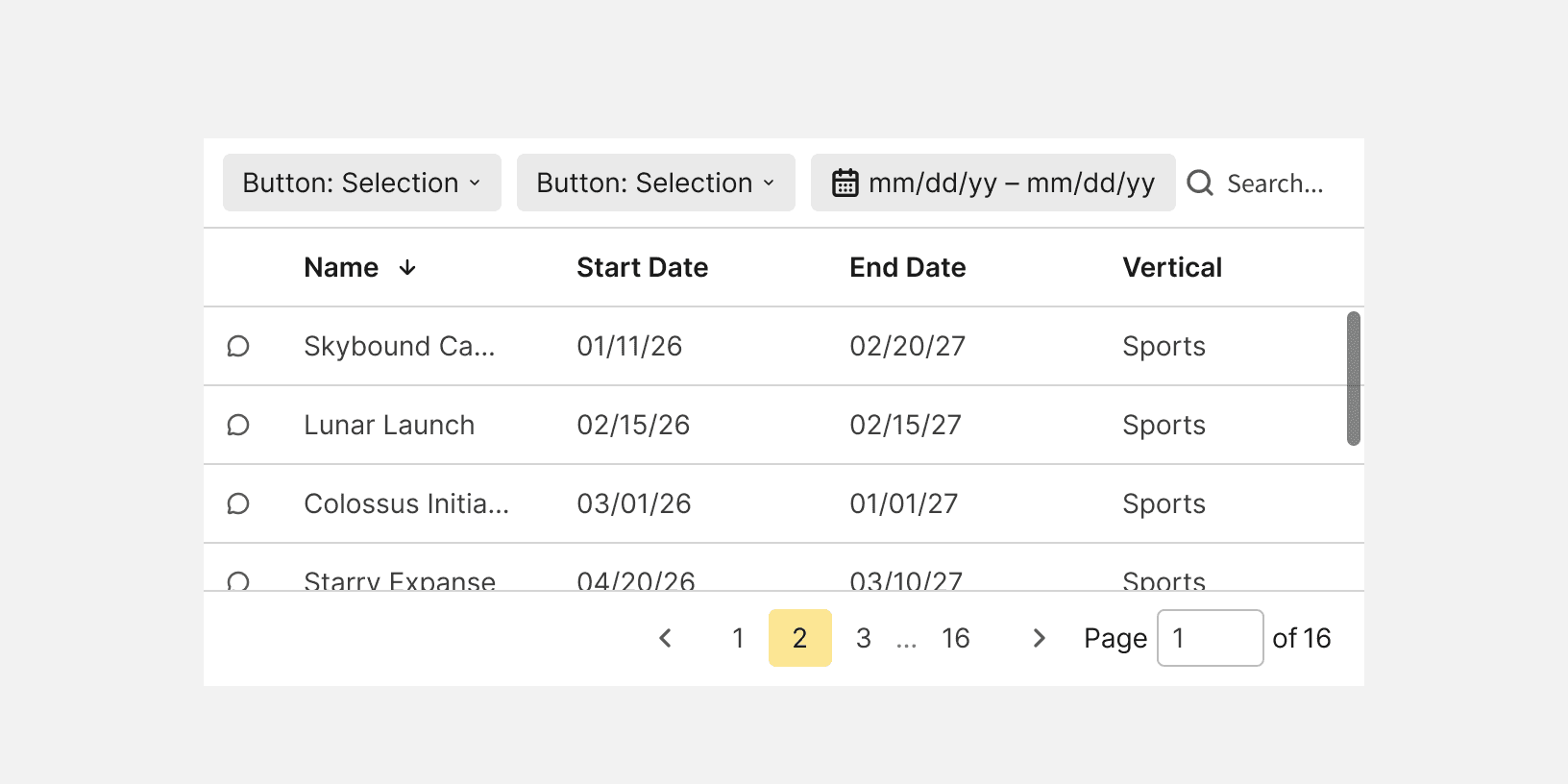
Do
Alignment
The pagination should be aligned to the right side of it's container below the page content.

Don't
Pagination vs Step Progress
Pagination shouldn't be used to break up user work flows. Use a Step Progress Bar instead.
Pagination vs Infinite scroll
Pagination should be used when the user is looking for something specific such as a campaign or line item. Infinite scrolling should be used for content discovery such as browsing report templates.
Bulk edit
If paginated content can be bulk edited, only the visible items will be edited. Provide a count in the UI that tells the user that they are editing only the visible items. If the user navigates to a new page using the pagination, the selections from the previous page will be lost, and the count will reset to none.

Do
More
Related Pages

Additional Reading
Best practices for designing Pagination in web https://uxdesign.cc/ui-cheat-sheet-pagination-infinite-scroll-and-the-load-more-button-e5c452e279a8
UX: Infinite Scrolling vs. Pagination https://uxplanet.org/ux-infinite-scrolling-vs-pagination-1030d29376f1
UI cheat sheet: pagination, infinite scroll and the load more button https://medium.com/uxness/best-practices-for-designing-pagination-in-web-1c33140f31b